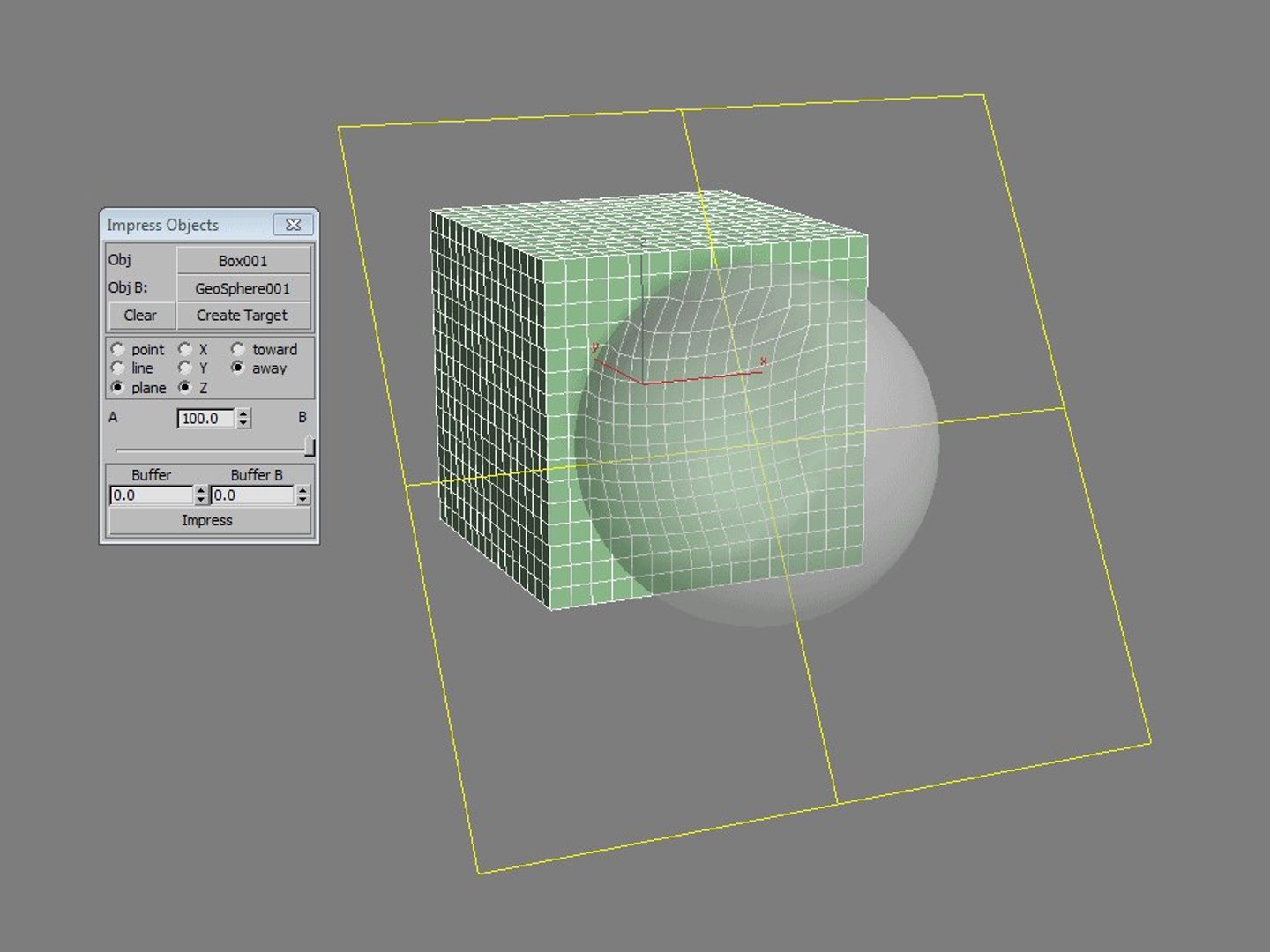
ImpressObjects is a plugin for 3ds Max that allows two intersecting meshes to be pressed against one another so that their respective vertices do not overlap.
ImpressObjects consists of 2 files: ImpressObjects.dlu and
The zip file includes separate files for the following versions of Max:
2012 and 2013 x32 and x64, 2014, 2015, 2016
HOW TO USE:
1) Use the "Select Node A" and "Select Node B" pickbuttons to choose two overlapping meshes.
2) Press the "Create Target" button to create a target helper. This determines the directions in which intersecting vertices will be moved.
3) Adjust the target helper as desired.
4) Click "Impress".
FEATURES:
- Non-destructive to mesh topology
- Unlike boolean operations, ImpressObjects does not cut through the geometry, allowing the resulting meshes to be used in morph animations.
Set the comparative "hardness" of each mesh
- Two meshes may be used to impress upon each other equally, one entirely on the other, or anywhere in between.
Fine tune the intersection
- Control the manner in which the intersection is checked. Use a point, line, or plane to generate intersect reference coordinates.
- Decide how close your mesh surfaces are allowed to be using buffer objects. Increase the buffer values to prevent intersection of low poly geometry, or decrease for a seamless fit.
Fast and easy to use
- Select two nodes, create and position a target helper, and click a button for immediate results*
- If you don't like how it turned out, just hit undo, adjust the settings, and try again.
- ImpressObjects creates standard editable mesh objects that can be distributed, exported, or converted to other formats without hassle.
Set the comparative "hardness" of each mesh
- Two meshes may be used to impress upon each other equally, one entirely on the other, or anywhere in between.
Fine tune the intersection
- Control the manner in which the intersection is checked. Use a point, line, or plane to generate intersect reference coordinates.
- Decide how close your mesh surfaces are allowed to be using buffer objects. Increase the buffer values to prevent intersection of low poly geometry, or decrease them for a seamless fit.