
문 -100

$10

표준 라이센스 | 업그레이드 라이센스
형식 (7)
Native | 3ds Max 2015 | V-Ray 3.00.07
3ds Max 2012 | V-Ray
3ds Max 2014 | V-Ray V-Ray Adv 3.20.03
3D Studio
AutoCAD drawing
FBX
OBJ
사양
게시 날짜 December 06, 2017
제품 ID 1231123
다각형 10,996
정점들 13,219
다각형
텍스처
기재
member avatar
Runnriot
765 제품 | Contributor 부터 2010
질문 있니? 지금 우리와 채팅하십시오.

기술

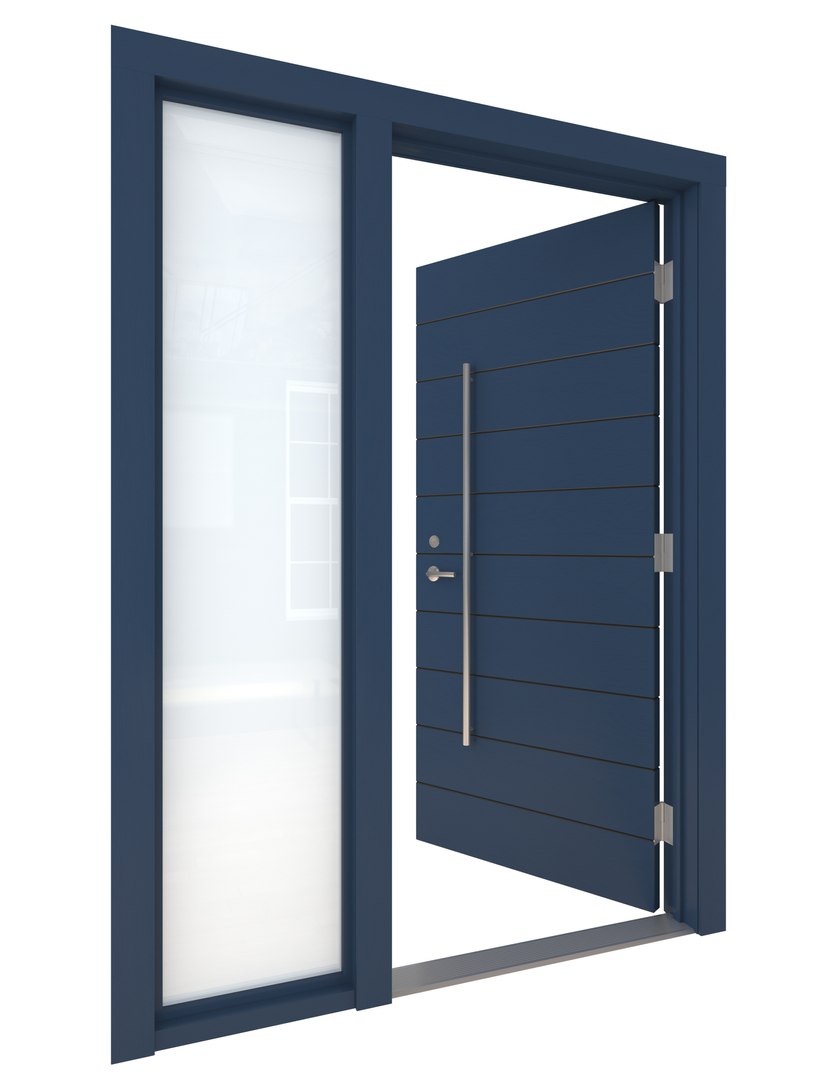
High Detail 3d Model of a modern Blue Painted Wood Door with Glass Side Light on Left Side. Door has Horizontal Detail Strips between panels, Large Aluminum Door Pull and other hardware included. Door wood grain can be seen.

Reflection on door may have to be adjusted based on scene. Diffuse map Output may need to be increased if door is coming out too dark in scene.

Door is Rigged Pivot to Rotate on Hinges so you can render it open and closed.

-Modeled in 3ds Max 2015, rendered in Vray
-Modeled to Scale and Dimensions- 36' Wide Door x 84' High Door, can easily be adjusted for different dimensions and different wall size by modifying editable polygons.

-Hinges, Door lever,strike plates,lock, and threshold included, hardware can be removed easily
-Door Size and Frame thickness can be adjusted as required
-Ready for Close up
-Set to 0,0,0 Axis and grouped for easy scene movement.
-Wood Textures included in Zip File
-Textures will have to be relinked after opening file.
-Please note model is made in 3ds max and other exported formats may not import cleanly into all software, some cleaning may be necessary. Not tested in all software

-To render door in open position open group, click on door, rotate to desired position. Door Pivot is set to Hinges. If pivot gets reset go to 'Hierarchy' tab, click on 'Affect Pivot Point' and move the pivot to the center of the hinge, another trick if its temporarily reset is to hit affect pivot point, hit the rotate button and then click out of the pivot.

Happy Modelling,
Enjoy!

향상된 라이센스 선택

  • $10,000 법적 보호(보상)
  • 무제한 법적 보호(배상)
  • 금지 명령 구제 면제
  • 할당 가능한 모델 권한
  • $1,000,000 법적 보호(보상)
  • 금지 명령 구제 면제
  • 할당 가능한 모델 권한
  • $250,000 법적 보호(보상)
  • 할당 가능한 모델 권한
향상된 라이선스 티어에 대해 자세히 알아보려면 또는 enterprise@turbosquid.com으로 문의하세요. 이미 Shutterstock Enterprise 고객이신가요? 3D 기능 추가에 대해 문의하려면 Shutterstock 영업 지원 담당자에게 문의하세요.

About Conversion Requests

To submit a conversion request for a purchased asset, please complete our Conversion Request Form.

If you have not yet purchased a model, please review our Documentation about Conversions to learn about what limitations you may encounter with a conversion.

For any additional questions about a model’s suitability for conversion, please contact TurboSquid Support.

로딩중...