
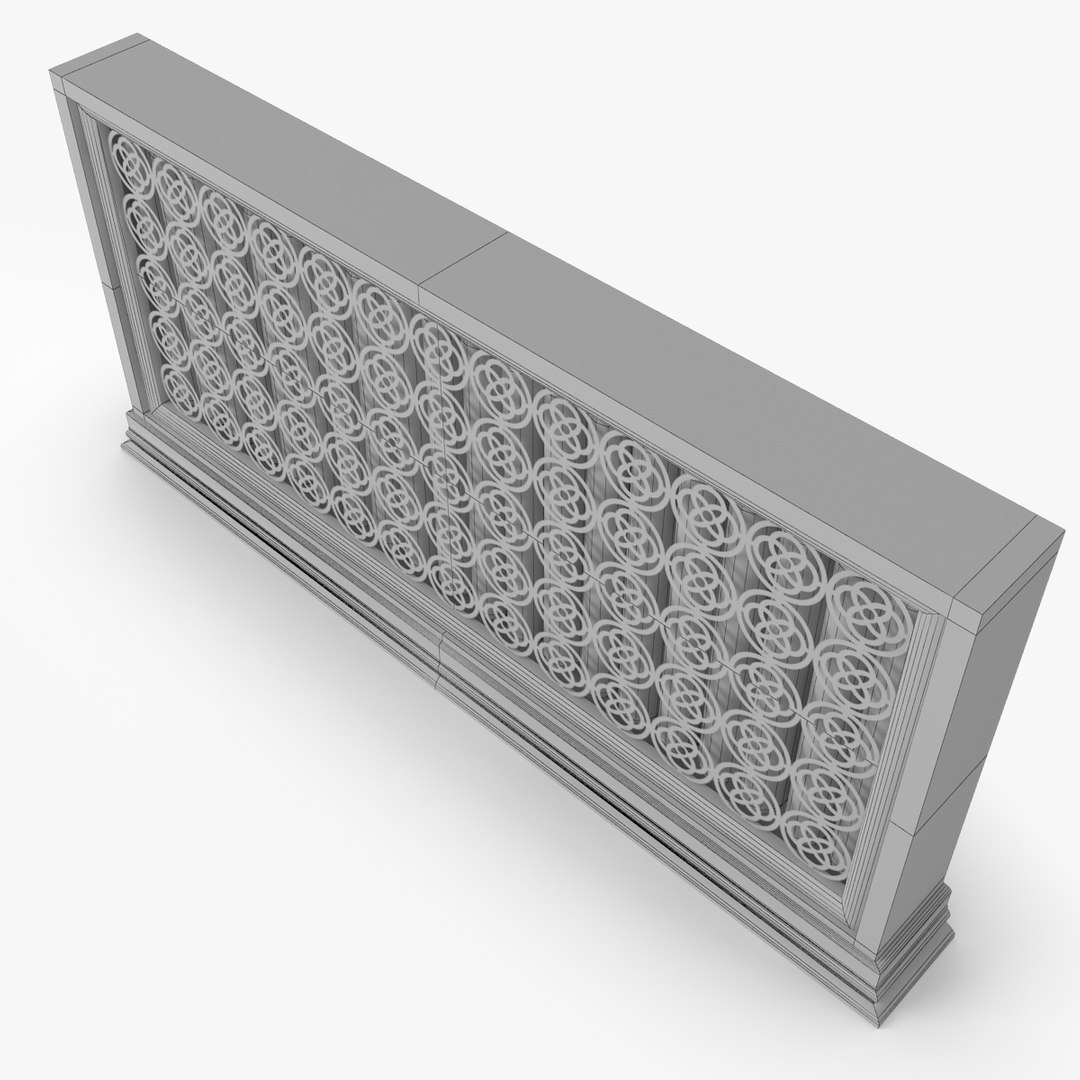
Radiator

Free

Formats (8)
Native | 3ds Max 2012 | V-Ray
Maya 2011 | mental ray
3ds Max 2010 | V-Ray
3ds Max 2011 | V-Ray
Softimage 2013 | mental ray
3D Studio
FBX
OBJ
Specifications
Publish Date July 27, 2011
Product ID 619267
Polygons 16,484
Vertices 16,948
Polygonal
Textures
Materials
UV Mapped
Mixed Unwrapped UVs
TurboSquid Exclusive
member avatar
NiceModels
1812 Products | Contributor Since 2011
Have questions? Chat with us now.

Description

Radiator for interior renders with decorative front part. Has only TRI and QUAD polygons with correct topology, supports multiple subdivisions.
Shaded with VRAY materials (3ds max). Shaded in physically correct workflow (linear based workflow), so you need not reshade model, simply drop it into your scene and tune lighting.
MAX, MAYA, XSI, FBX, OBJ.

description:

--General--
Radiator for interior renders with decorative front part.
Native format: 3Ds Max 2012.

--Geometry--
This model is nicely organized, has correct names for all objects and has good topology, TRI and QUAD polygons only. Mesh topology supports multiple subdivisions.
Model has mixed UVs.

--Rendering--
Rendering is setuped in Vray (3ds max).
No 3rd party plugin needed.
Shaded in physically correct workflow (linear based workflow), so you need not reshade model, simply drop it into your scene and tune lighting.

--Textures--
1024x1024 texture for front shell, JPEG.

--Rigging & Animation--
There is no rig or animation.

--Scale--
Modeled in real world scale.

---------
Ready for usage.

Select Enhanced License

  • $10,000 in Legal Protection (Indemnification)
  • Uncapped Legal Protection (Indemnification)
  • Waiver from injunctive relief
  • Assignable model rights
  • $1,000,000 in Legal Protection (Indemnification)
  • Waiver from injunctive relief
  • Assignable model rights
  • $250,000 in Legal Protection (Indemnification)
  • Assignable model rights
Read more about enhanced license tiers, or contact us at enterprise@turbosquid.com. Already a Shutterstock Enterprise Customer? Contact your Shutterstock Sales Support Agent to talk about adding 3D.

About Conversion Requests

To submit a conversion request for a purchased asset, please complete our Conversion Request Form.

If you have not yet purchased a model, please review our Documentation about Conversions to learn about what limitations you may encounter with a conversion.

For any additional questions about a model’s suitability for conversion, please contact TurboSquid Support.

Loading...