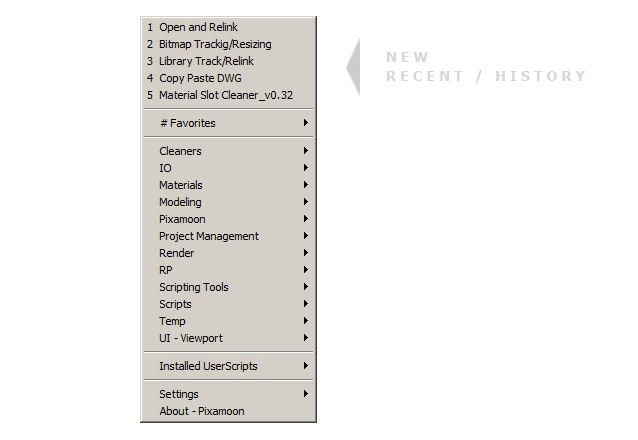
It automatically finds for folders(categories) and scripts in specified location.
You just need to select location and sort your scripts to folders(categories) in there. for eg: Animations Dynamics Interface Misc Modeling Project Management Render etc.
v1.32 - fixed error - when macroscript name had '...mascoscript' inside v1.28 - support for scripts from Userscripts and 3dsMax Scripts folder (Settings -> show UserScripts, 3dsMax Scripts) - fixed: run scripts dotNet error ( /T... and /N... paths ) v1.26 - fixed error if find empty srcipt files v1.24 - fixed support for subfolders v1.21 - fixed full names in Installed User Scripts v1.20 - finds all Installed User Scripts and sort them by category - 'Explore' path button in Settings Window v1.17 - finds scripts in 2 folders - 1st can be used for office scripts (from server location) - 2nd for your favorite scripts (eg: in dropbox to have the same anywhere :)
Hold Ctrl while choosing script to open it in folder Hold Shift while choosing script to edit
Note: - If folder is empty script doesn't show it - It works only with scripts (.ms .mse .mcr) but not macroscripts